March Changelog

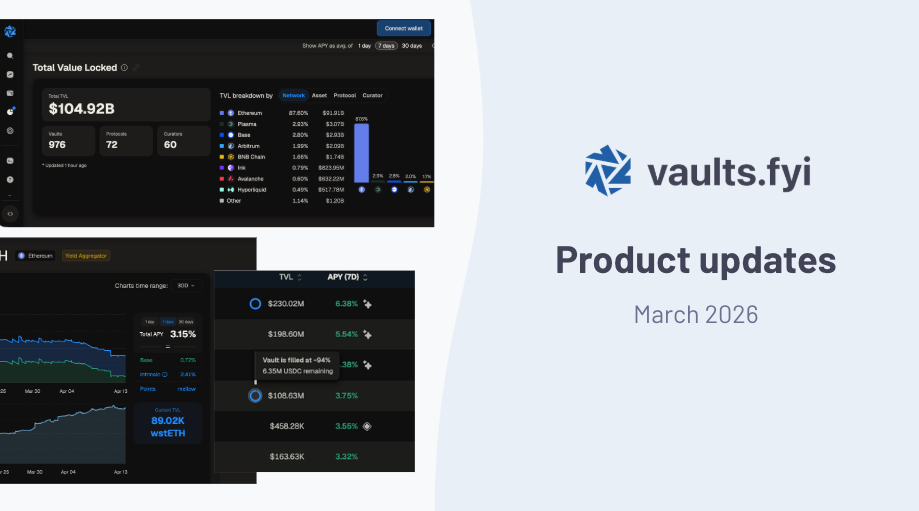
This month we added new network support, richer yield data, improved risk transparency, and expanded coverage past 1,400 vaults across 20 networks. Here's what's new.
Analytics Page Upgrades
We made some significant additions to our Analytics page, making it a go-to dashboard for tracking yield trends across DeFi.

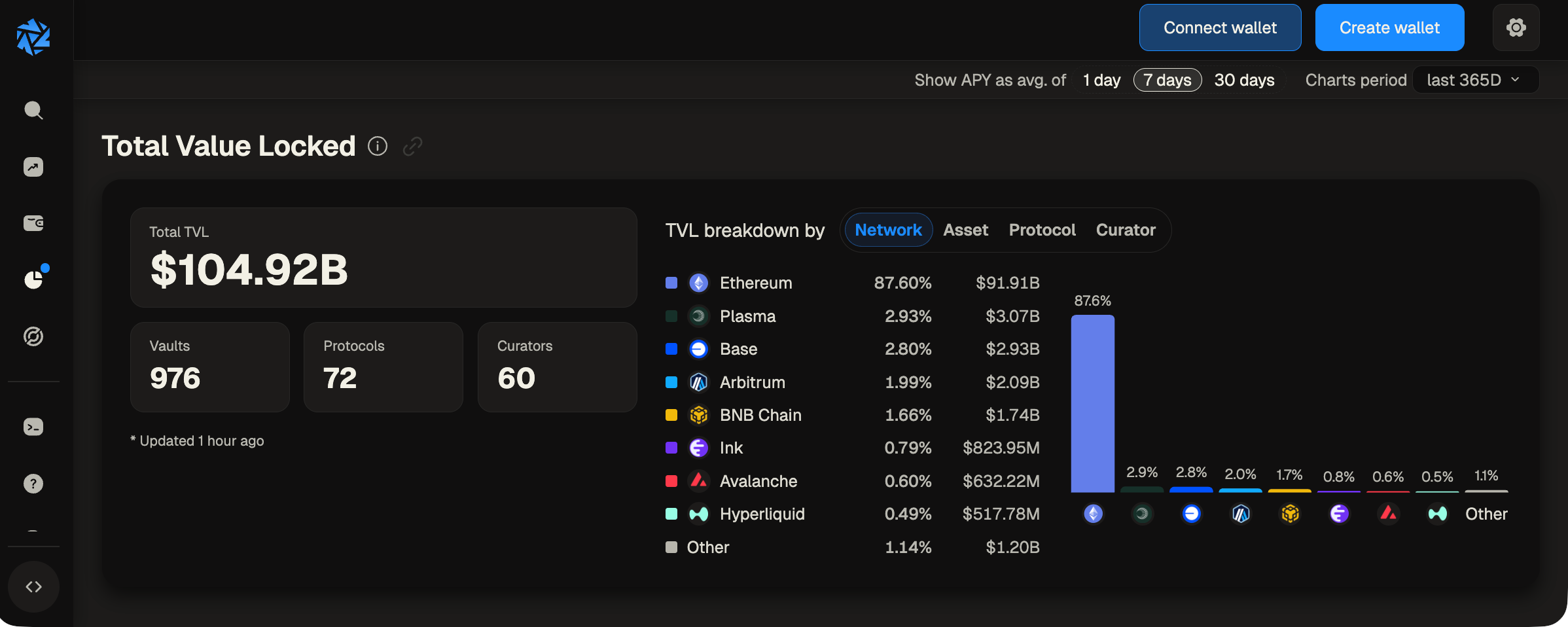
TVL Tracking
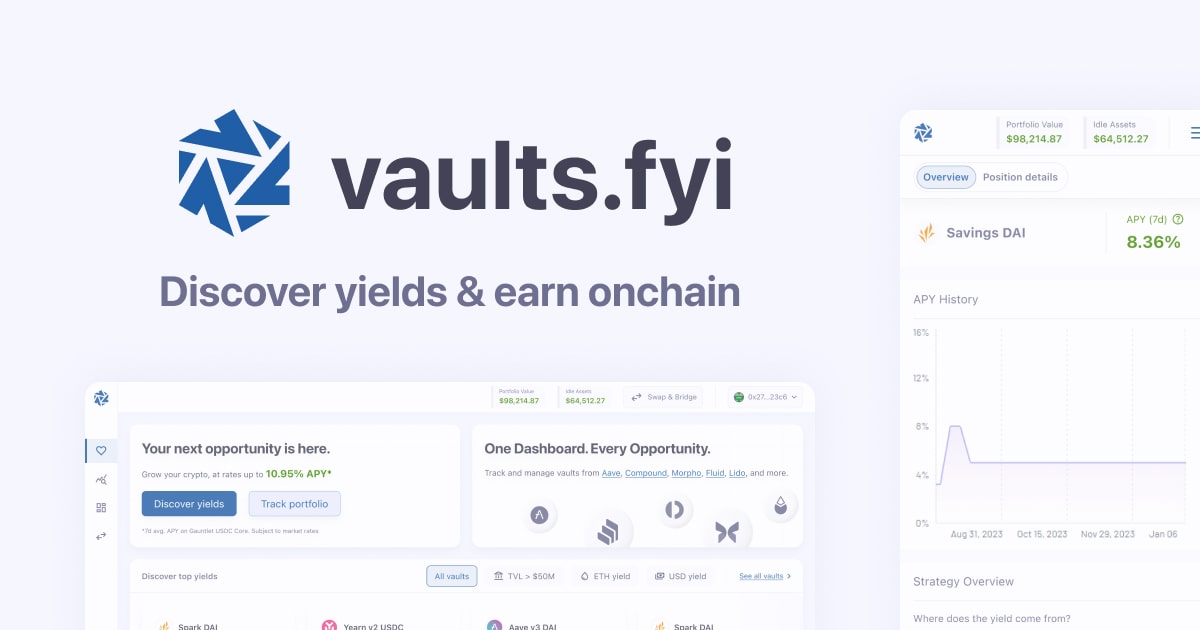
You can now track aggregate TVL trends alongside yield benchmarks. See how capital flows across networks and asset types over time, all in one view.
Shareable Benchmarks
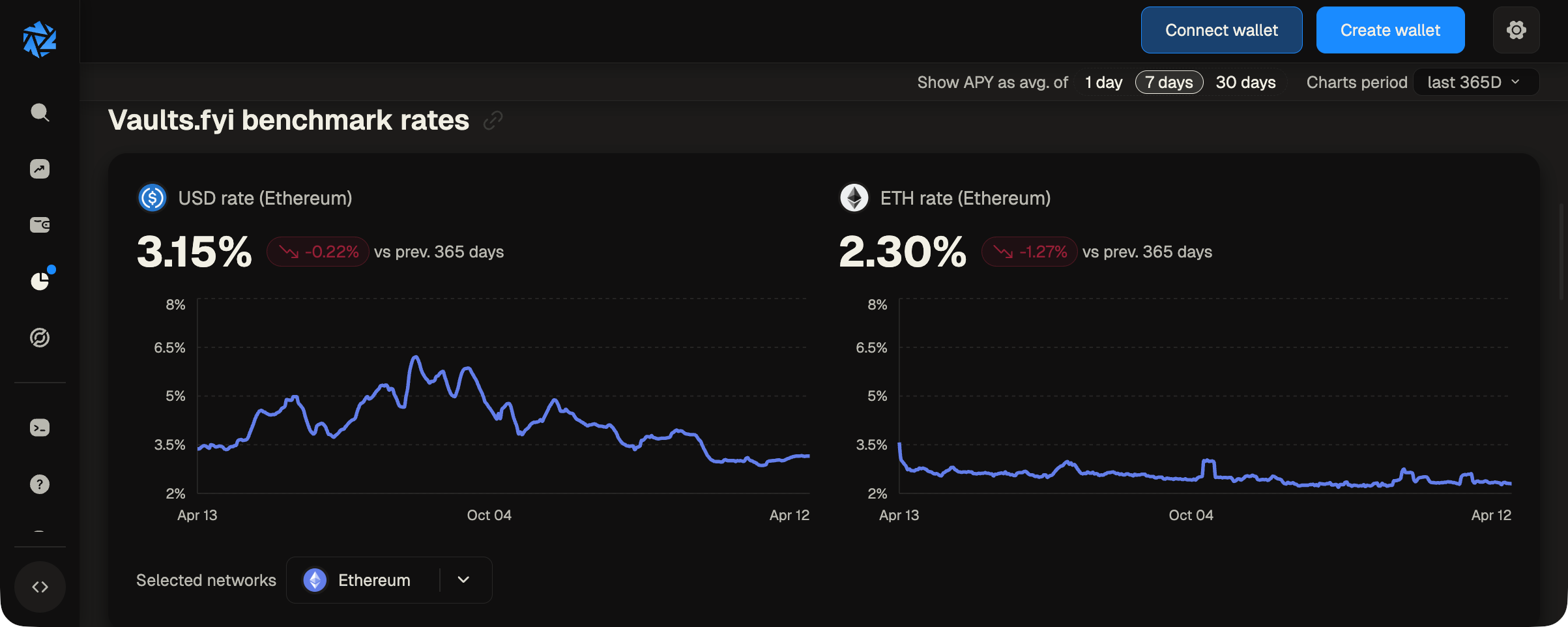
Selected benchmarks, filters, and time ranges now persist in the URL. Compare yields across networks and share the exact view with your team or community by copying the link.
Improved Layout
We reorganized the page to put controls front and center: the APY interval toggle and time period selector sit at the top, and network benchmarks are split into halves for easier side-by-side comparison.
For developers, benchmark data is available via the /v2/benchmarks and /v2/historical-benchmarks API endpoints.
Etherlink Network Support
We added full support for Etherlink, a Tezos-powered L2. Browse Etherlink vaults now at app.vaults.fyi, or query via the API using etherlink as the network parameter.
Intrinsic Yield Breakdown
For vaults built on top of yield-bearing assets like wstETH or sDAI, we now separate the intrinsic yield from the vault's own strategy performance. This gives a clearer picture of where your returns are coming from: how much is the vault earning vs. how much comes from the underlying asset itself.
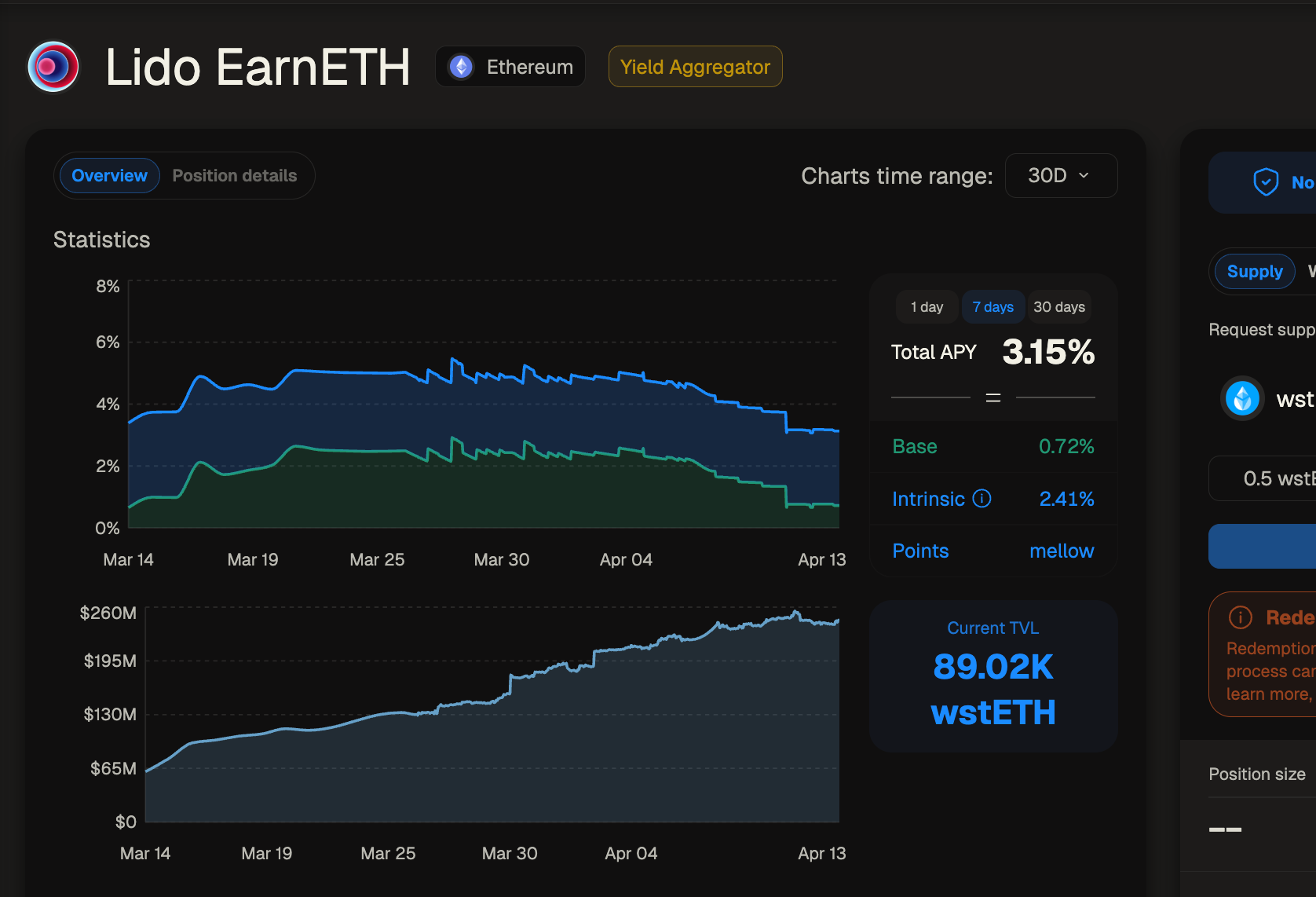
You'll find this breakdown on vault detail pages for applicable vaults. Check out Lido EarnETH for an example to see the breakout of yield on underlying wstETH vs. additional base yield compounded in wstETH.
Vault Flags with Severity
We replaced our old warning system with structured risk flags covering multiple severity levels: info, warning, and critical. Each flag includes a description, giving you more context when evaluating a vault.
We've added warning indicators inside our app for vaults impacted by the Resolv hack.
— vaults.fyi (@vaultsfyi) March 22, 2026
These include vaults on Morpho, Euler, Midas, Fluid, Upshift, YO, and others.
If you see a vault that's missing a flag or improperly labeled, reply to this tweet or ping us directly. pic.twitter.com/BeFdWAuapV
Browse vaults with flags at app.vaults.fyi. For developers, the flags array is available on the /v2/detailed-vaults response.
Vault Capacity Indicators
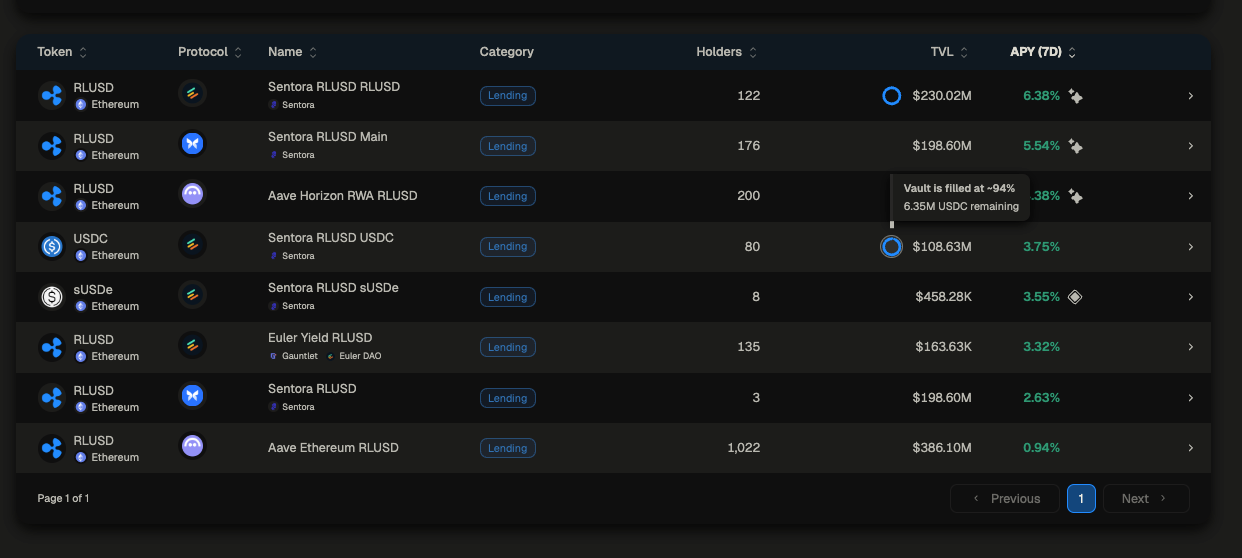
You can now see how close a vault is to its supply cap. A visual indicator appears when a vault is nearing capacity, so you know before you try to deposit. Look for the capacity indicator on the Discover and vault detail pages.
New Protocols
- Ultrayield
- Concrete
- OpenCover Covered Vaults
Excited to support today's launch of Covered Vaults from @OpenCover
— vaults.fyi (@vaultsfyi) April 2, 2026
Our users can access composable, vault-native risk protection directly via our app and API 🛡️ https://t.co/zn2UxspIJU
Browse all protocols at https://app.vaults.fyi/.