How to Find the Best Yield Vaults Programmatically
Pull a filtered list, understand what it costs, and build a repeatable workflow.

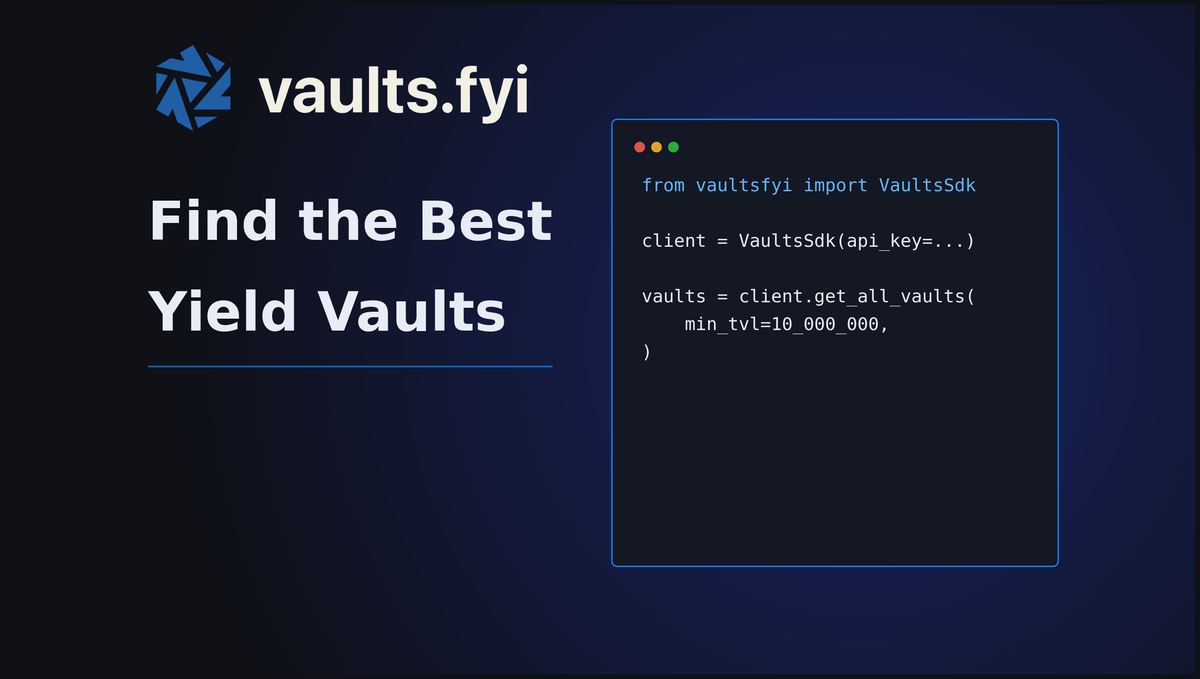
The vaults.fyi API tracks hundreds of yield vaults across Aave, Morpho, Sky, and a growing list of 80+ protocols.
A single paginated call returns the full universe: vault names, assets, networks, 7-day and 30-day APYs, TVL, risk scores, and active warnings. From there you can filter to whatever subset fits your use case and get a ranked shortlist in under 40 lines of Python.
This guide shows how to build that screener: what data you get, how to query and filter it, and a complete script you can run today.
What you get
Each vault in the response includes the fields you need to evaluate an opportunity without a separate lookup:
- Name, asset symbol, network, and protocol
- 7-day and 30-day average APY, with base yield and reward tokens broken out separately
- TVL in USD
- Reputation score (0-100, higher is better) from the vaults.fyi scoring model
- Warnings array: active flags like liquidity risk, oracle issues, or high utilization
- lendUrl: direct link to the deposit interface
- vaultId and contract address for downstream tracking
The screener script
Install the SDK first:
pip install vaultsfyiThe script below handles pagination automatically and writes a ranked CSV. Edit FILTERS at the top to change the criteria.
(Note: using default filters below, this script costs <200 API credits to run).
#!/usr/bin/env python3
"""
screen_vaults.py — Fetch a filtered vault shortlist from the vaults.fyi API.

Usage:
    pip install vaultsfyi
    VAULTS_FYI_API_KEY=your_key python3 screen_vaults.py

Outputs:
    vault_shortlist.csv
"""

import os, csv
from vaultsfyi import VaultsSdk

client = VaultsSdk(api_key=os.environ["VAULTS_FYI_API_KEY"])

# Edit these to change what gets returned.
FILTERS = {
    "allowed_assets": ["USDC", "USDT", "USDS"],  # None for all assets
    "min_tvl":        10_000_000,                  # minimum TVL in USD
}

vaults, page = [], 0
while True:
    result = client.get_all_vaults(
        page=page, per_page=50,
        allowed_assets=FILTERS["allowed_assets"],
        min_tvl=FILTERS["min_tvl"],
        sort_by="tvl", sort_order="desc",
    )
    batch = result.get("data", [])
    vaults.extend(batch)
    print(f"  page {page}: {len(batch)} vaults (total: {len(vaults)})")
    if result.get("nextPage") is None:
        break
    page = result["nextPage"]

vaults.sort(key=lambda v: v["apy"]["7day"]["total"], reverse=True)

fields = [
    ("name",          lambda v: v["name"]),
    ("asset",         lambda v: v["asset"]["symbol"]),
    ("network",       lambda v: v["network"]["name"]),
    ("protocol",      lambda v: v["protocol"]["name"]),
    ("apy_7d",        lambda v: round(v["apy"]["7day"]["total"] * 100, 2)),
    ("apy_30d",       lambda v: round(v["apy"]["30day"]["total"] * 100, 2)),
    ("base_apy_7d",   lambda v: round(v["apy"]["7day"]["base"] * 100, 2)),
    ("reward_apy_7d", lambda v: round(v["apy"]["7day"]["reward"] * 100, 2)),
    ("tvl_usd",       lambda v: int(float(v["tvl"]["usd"]))),
    ("score",         lambda v: round((v.get("score") or {}).get("vaultScore", 0), 1)),
    ("warnings",      lambda v: len(v.get("warnings") or [])),
    ("vault_id",      lambda v: v.get("vaultId", "")),
    ("lend_url",      lambda v: v.get("lendUrl", "")),
]

with open("vault_shortlist.csv", "w", newline="") as f:
    w = csv.writer(f)
    w.writerow([col for col, _ in fields])
    for v in vaults:
        w.writerow([fn(v) for _, fn in fields])

print(f"Wrote {len(vaults)} vaults -> vault_shortlist.csv")
Run it with your API key:
VAULTS_FYI_API_KEY=your_key python3 screen_vaults.pyRunning it in a browser
No Python environment? Open the vaults.fyi Vault Screener notebook in Google Colab. Click "Copy to Drive", add your API key to Secrets (the key icon in the left sidebar), and run all cells. Results appear as a table inline — no install required.
Parameters reference
SDK (get_all_vaults)
| Parameter | Type | Notes |
|---|---|---|
page | integer | Starts at 0. Use nextPage from the response to paginate. |
per_page | integer | Max results per page. 50 is a safe default. |
allowed_assets | list of strings | Filter by asset symbol, e.g. ["USDC", "USDT"]. |
allowed_networks | list of strings | Filter by network name, e.g. ["mainnet", "base"]. |
allowed_protocols | list of strings | Filter by protocol name. |
min_tvl | number | Minimum TVL in USD. |
max_tvl | number | Maximum TVL in USD. |
min_apy | number | Minimum APY as a decimal, e.g. 0.05 for 5%. |
sort_by | string | tvl, apy7d, apy30d. |
sort_order | string | asc or desc. |
only_transactional | boolean | Return only vaults with deposit/redeem calldata available. |
Direct API (/v2/detailed-vaults)
Use these if you are calling the API directly rather than through the SDK:
| Parameter | Type | Notes |
|---|---|---|
minVaultScore | integer | Minimum risk score (0–100). Higher is safer. Not exposed in the SDK. |
allowVaultsWithWarnings | boolean | Set to false to exclude vaults with active warnings. Not exposed in the SDK. |
allowedAssets | string (repeated) | Repeat for each asset: &allowedAssets=USDC&allowedAssets=USDT. Comma-separated does not work. |
allowedNetworks | string (repeated) | Same pattern as allowedAssets. |
minTvl | number | Minimum TVL in USD. |
perPage | integer | Max results per page. |
page | integer | Starts at 0. |
sortBy | string | tvl, apy7d, apy30d. |
sortOrder | string | asc or desc. |
Credit costs
The API charges 1 CU per call plus 3 CU per vault returned. Paginating at 50 per page costs the same total as one large request.
| Vaults returned | CU cost |
|---|---|
| 50 | 151 |
| 100 | 302 |
| 250 | 755 |
| 500 | 1,510 |
| 1,000 | 3,020 |
For routine new-vault detection, use the /v2/vaults endpoint instead. It returns vaultId, address, network, and asset only at a fraction of the cost. Diff it against your last snapshot to catch new entrants, then fetch full detail only for vaults you haven't seen before.
What's next
- Use vault IDs from this output to call /v2/vaults/{vaultId} directly for point-in-time snapshots on specific vaults you're tracking.
- Check the rewards[] array on each vault. Some show a modest base yield but significant reward APY on top — the screener surfaces both.
- Pair TVL with maxCapacity to surface vaults approaching their deposit cap before they close.
Full API docs and SDK reference are at docs.vaults.fyi.
To walk through an integration, email ryan@wallfacer.io.